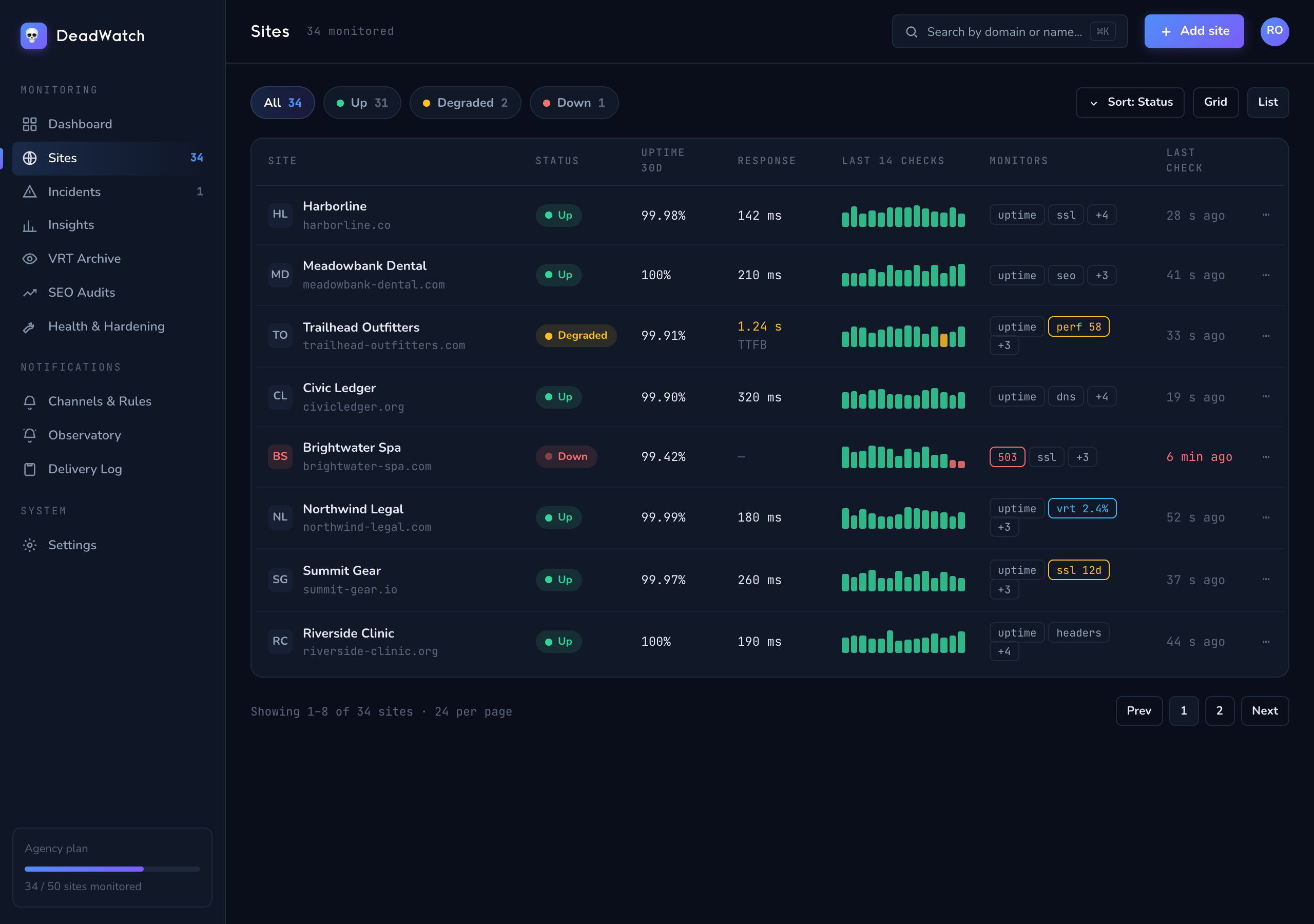
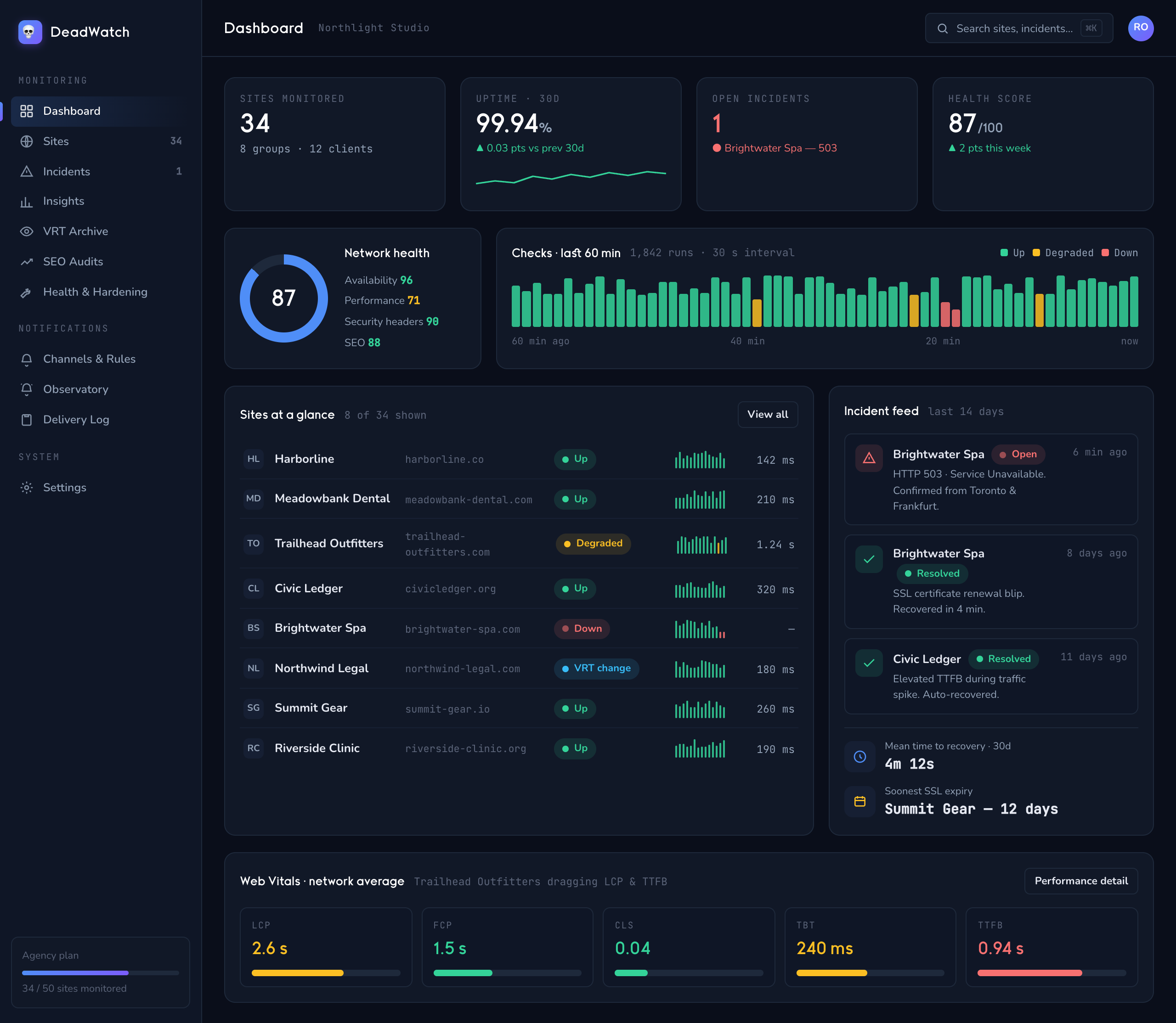
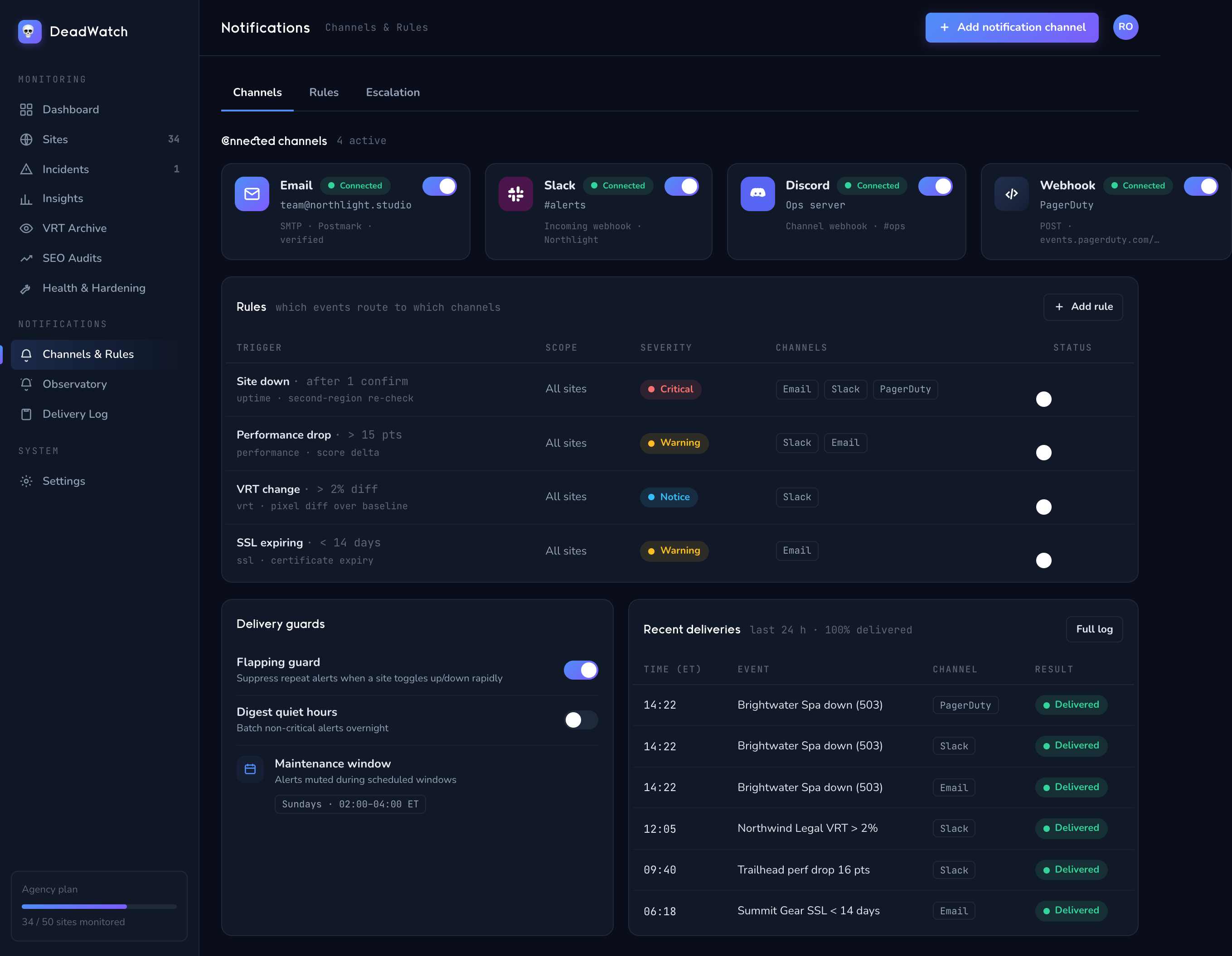
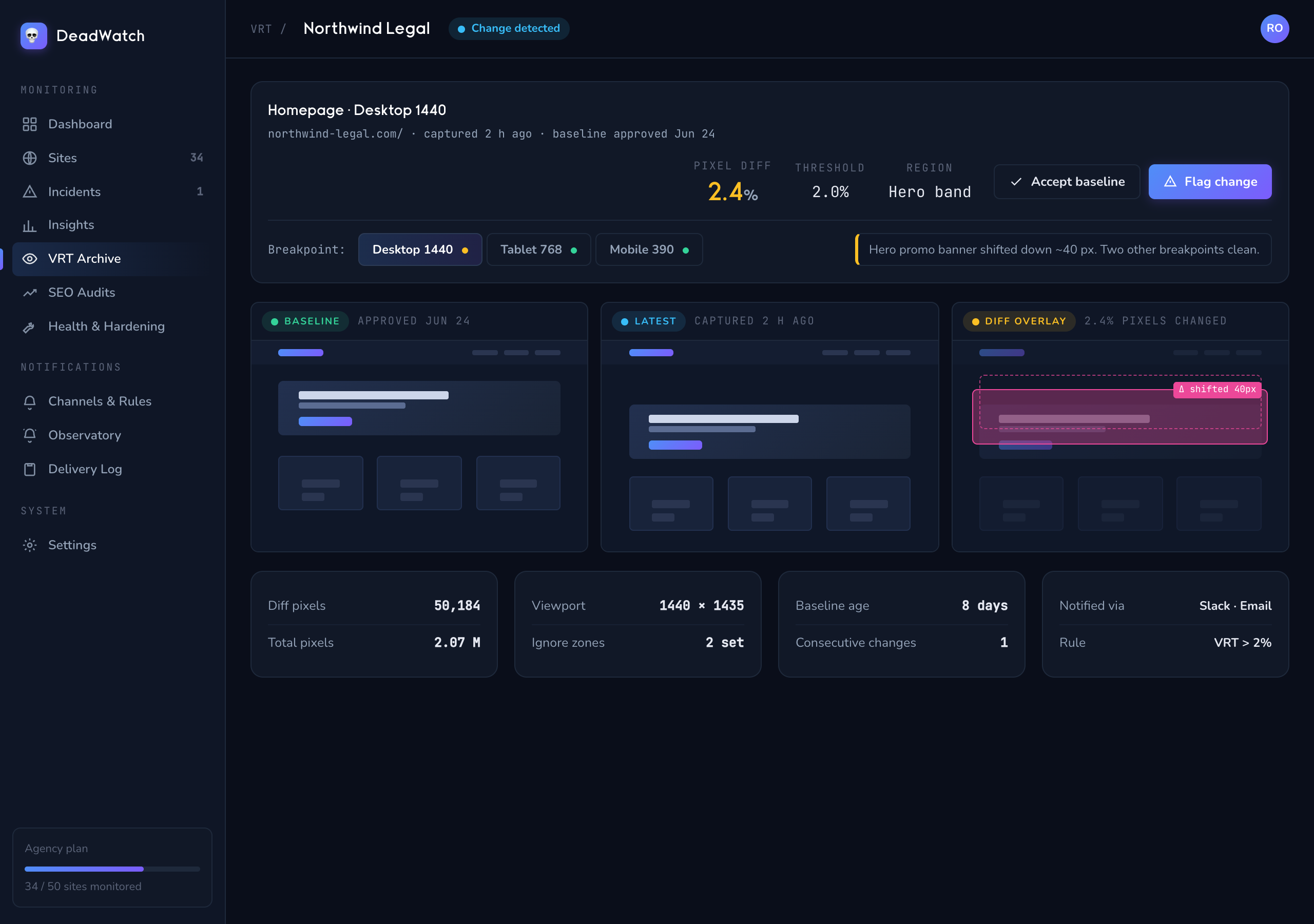
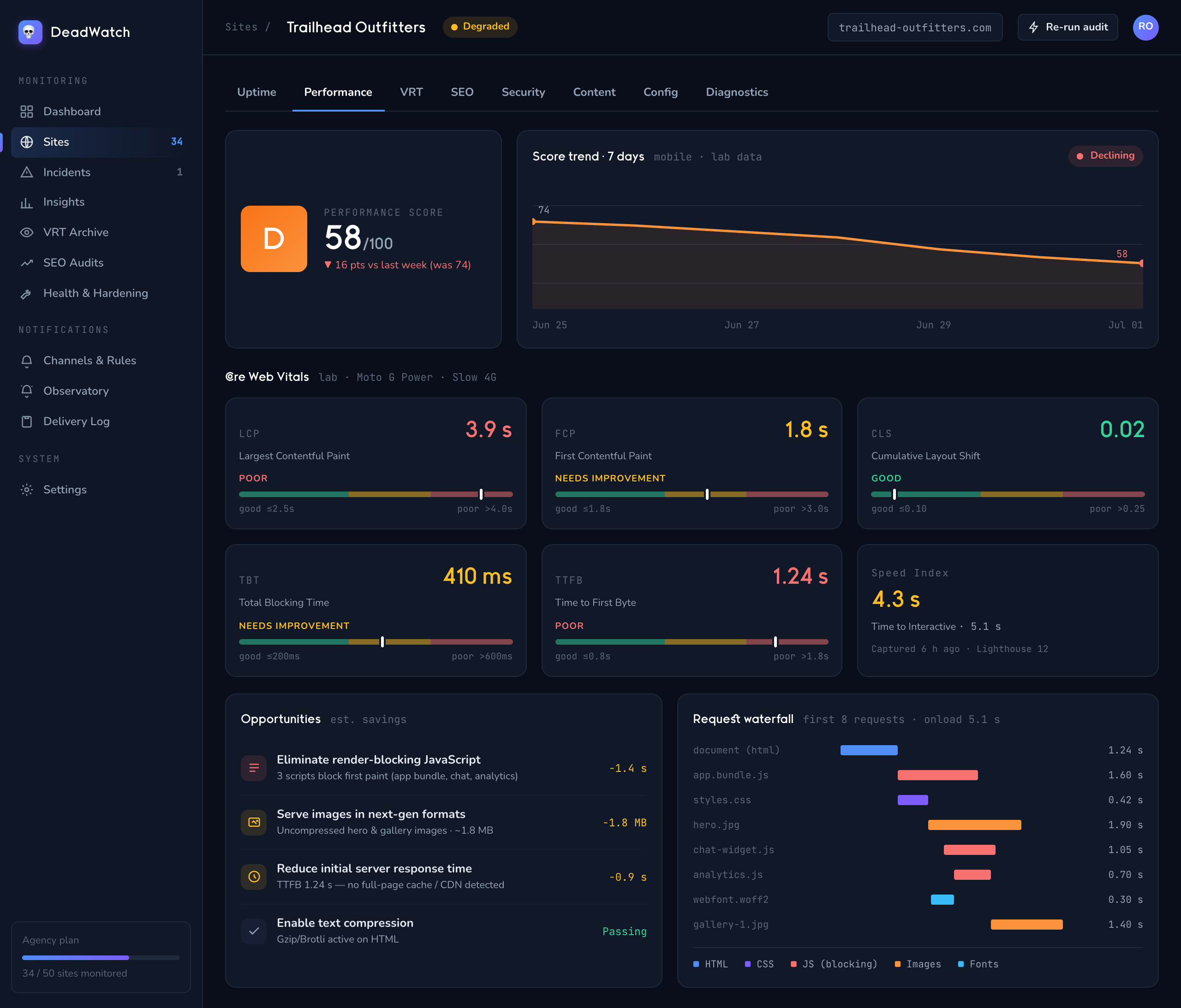
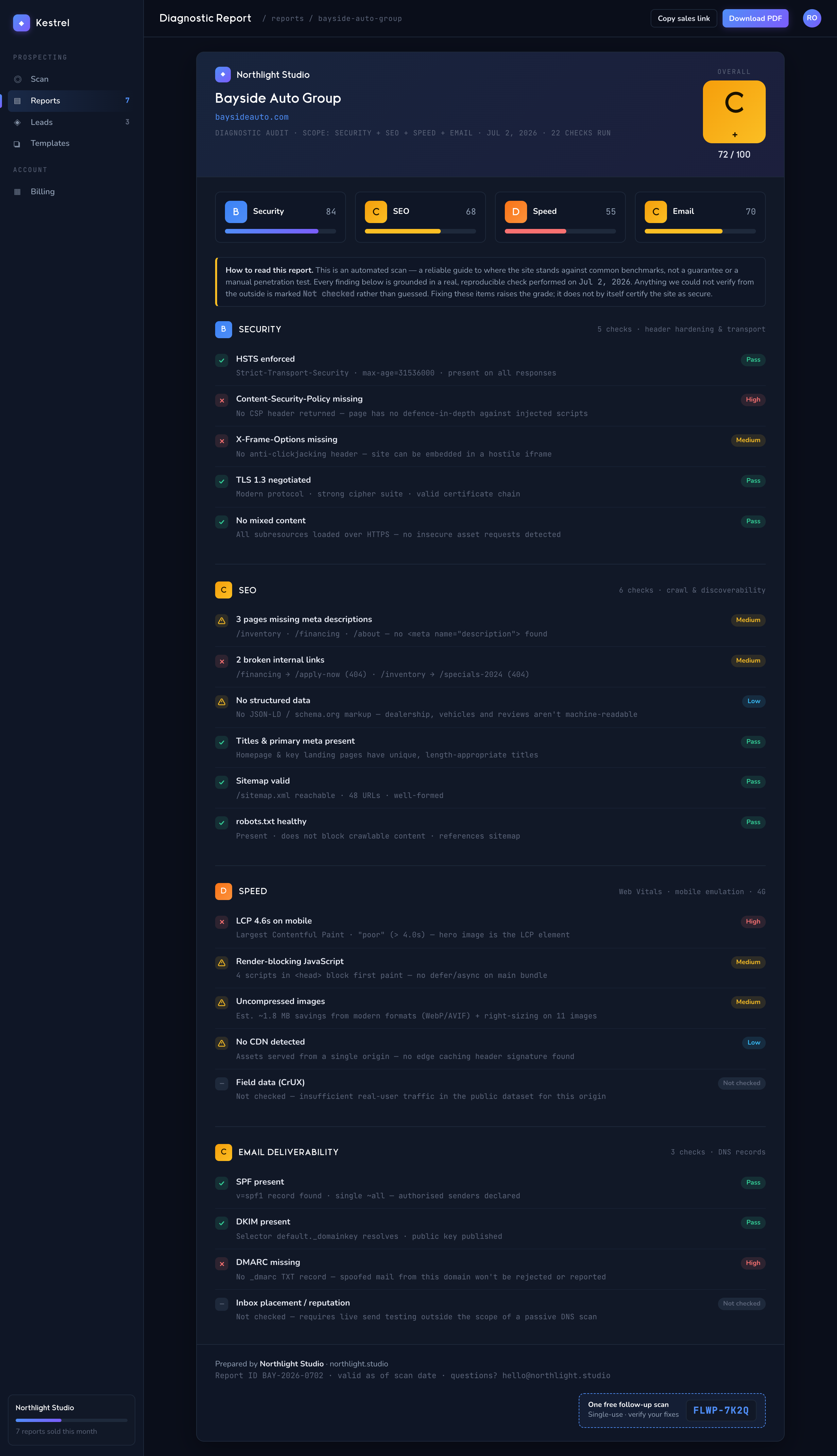
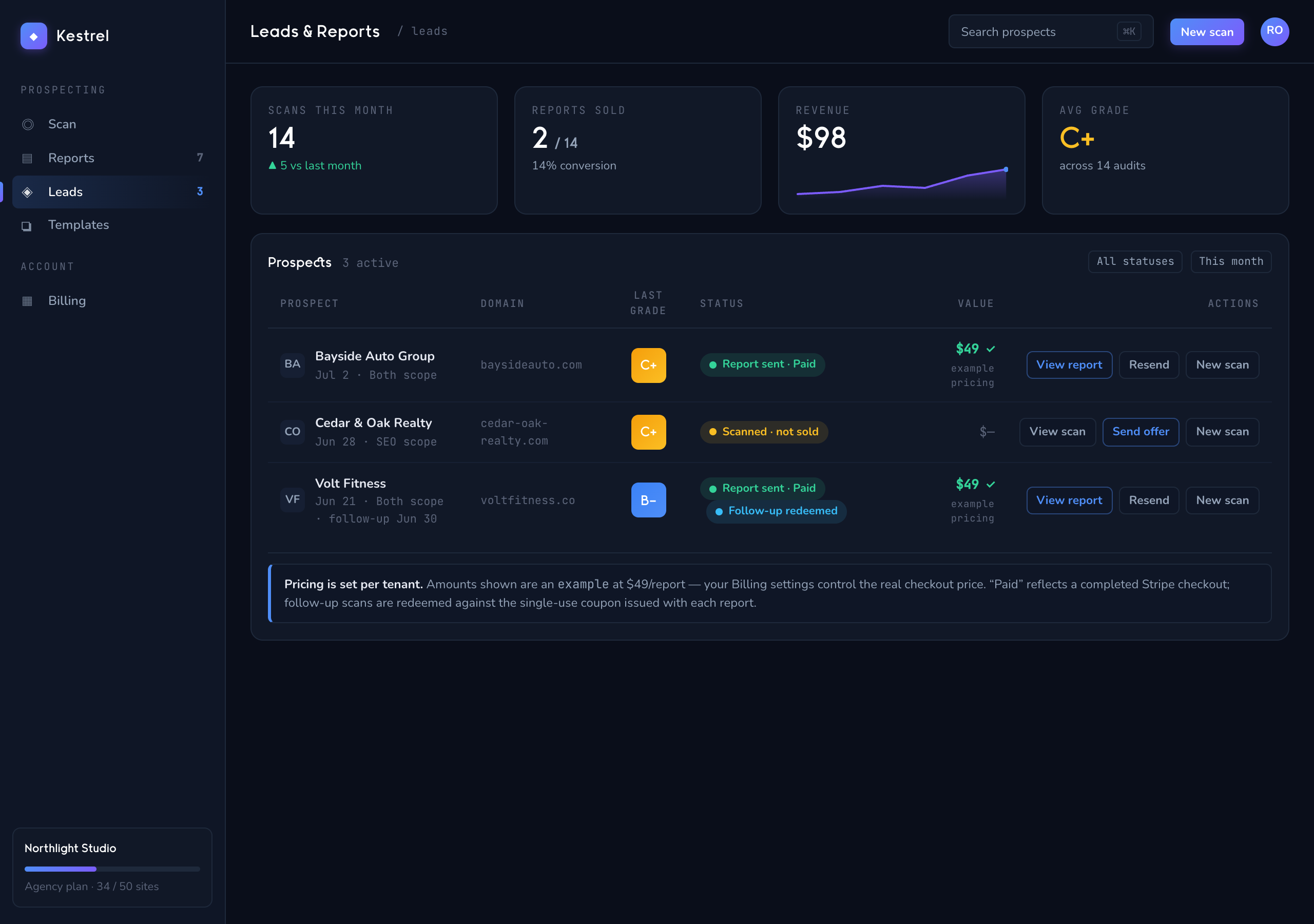
1 · Add a site — drop in a URL, pick an interval, group it by client.2 · We watch on schedule — every vital sign, one board, organized by client.3 · Something breaks — you know first — confirmed, then routed to your channels.4 · Visual regressions, caught — baseline vs latest, pixel for pixel.5 · Speed & Web Vitals, tracked — scored, graded, and trended over time.6 · Turn a scan into a sellable report — grounded findings, your brand.7 · Get paid — sold through Stripe, delivered automatically, follow-up couponed.
STEP 1 / 7
Add a site
Drop in a URL, pick a check interval, and group it under the client it belongs to.
STEP 1
Add a site — drop in a URL, pick an interval, group it by client.STEP 2
We watch on schedule — every vital sign, one board.STEP 3
Something breaks — you know first — confirmed, then routed.STEP 4
Visual regressions, caught — baseline vs latest.STEP 5
Speed & Web Vitals, tracked — scored and trended.STEP 6
Turn a scan into a sellable report — grounded findings, your brand.STEP 7