Sell a report with Kestrel
The full money path: find a prospect, scan their site, review the diagnostic, then send or sell the branded report through Stripe — and hand back a free follow-up scan.
Kestrel turns any website into a sales conversation. Every finding is grounded in a real check, and every report carries an honest disclaimer — that's why prospects trust it. Here's the path end to end.
Before you start: two things that make delivery work
Two settings quietly decide whether a paid report ever reaches the buyer. Check them once:
- An attachment-capable email provider. The paid report is emailed as a PDF, and only SMTP, SES, or Postmark can carry the attachment. If your active provider is Mailgun, SendGrid, Brevo, or Resend, the buyer gets charged and the report never arrives. Set it in Settings → Notifications → Email Provider.
- Stripe keys. Until your Stripe secret key and price IDs are set, the buyer checkout button won't render (it gates itself — no dead buttons).
Confirm both in Settings → Configuration Self-Check. Each row shows OK, Degraded, or Missing. The email-provider check is listed first on purpose — it's the money-path killer. When the summary reads "All clear — every config item resolved OK," you're safe to sell.
1. Find the prospect
- Go to Searches and click New Search.
- Pick a Niche, add one or more Regions (type a city, press Enter — up to 10), and choose a Lead count (50 / 100 / 250 / 500).
- Leave Auto-scout each lead after discovery on to run a full probe (DNS, SSL, HTTPS, HTML, robots, tech, search position) on every lead.
- Click Run Search. The pipeline runs 1–5 minutes: Discovering businesses → Analysing websites and scoring leads → Generating personalised copy with AI → Building your files → Complete.
You'll know it worked when… the search shows complete and the Leads page fills with scored prospects, sorted into Tier 1 / 2 / 3.
2. Run the diagnostic
- Open Leads and pick a prospect (start with Tier 1 — high score, clear pain signals).
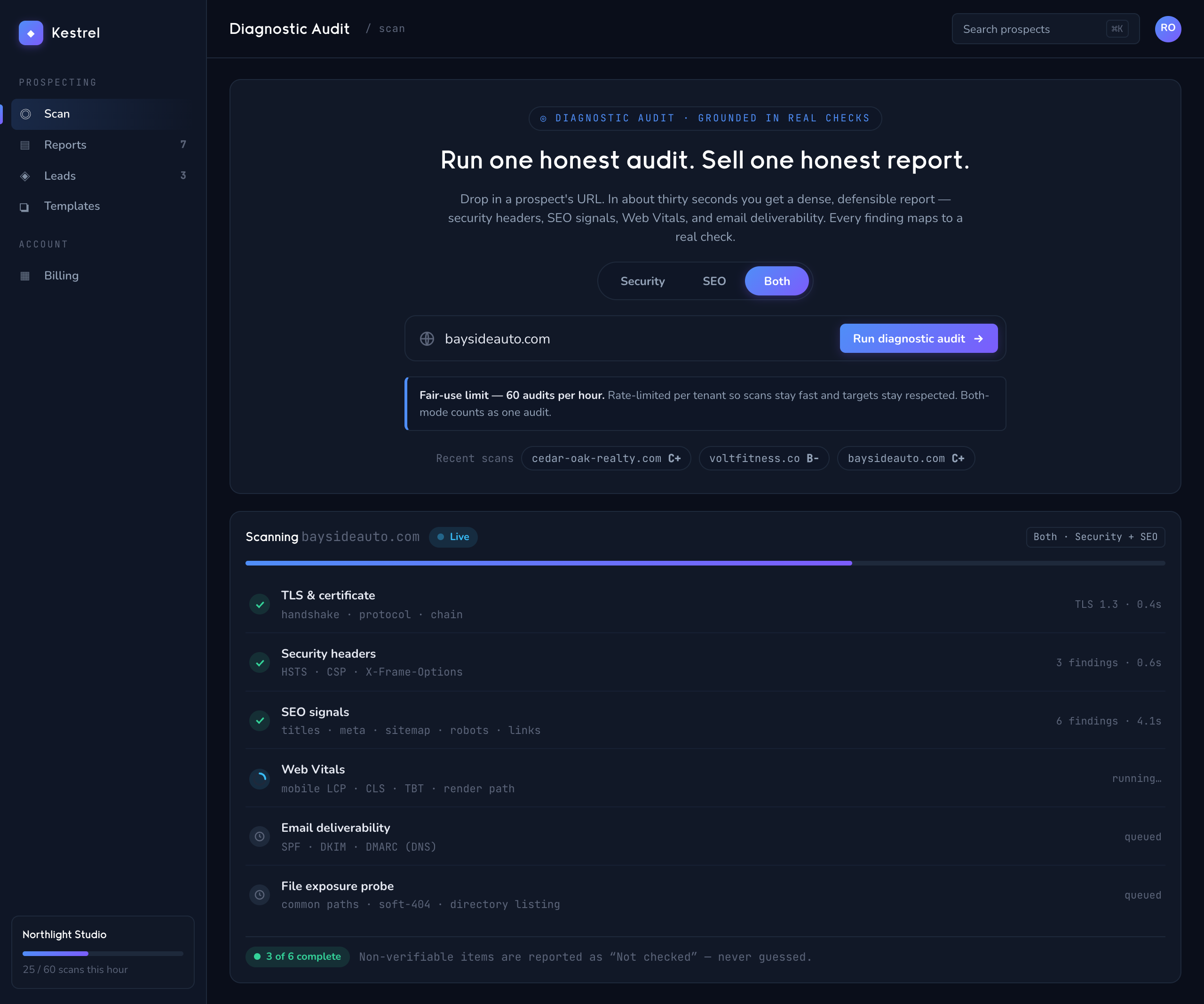
- Go to Diagnostic Audit, paste the URL, and click Run audit. (For SEO, use SEO Audit and Run audit the same way.)
- When it finishes you'll see a toast like "Audit complete — grade B, 12 findings."
3. Review the report
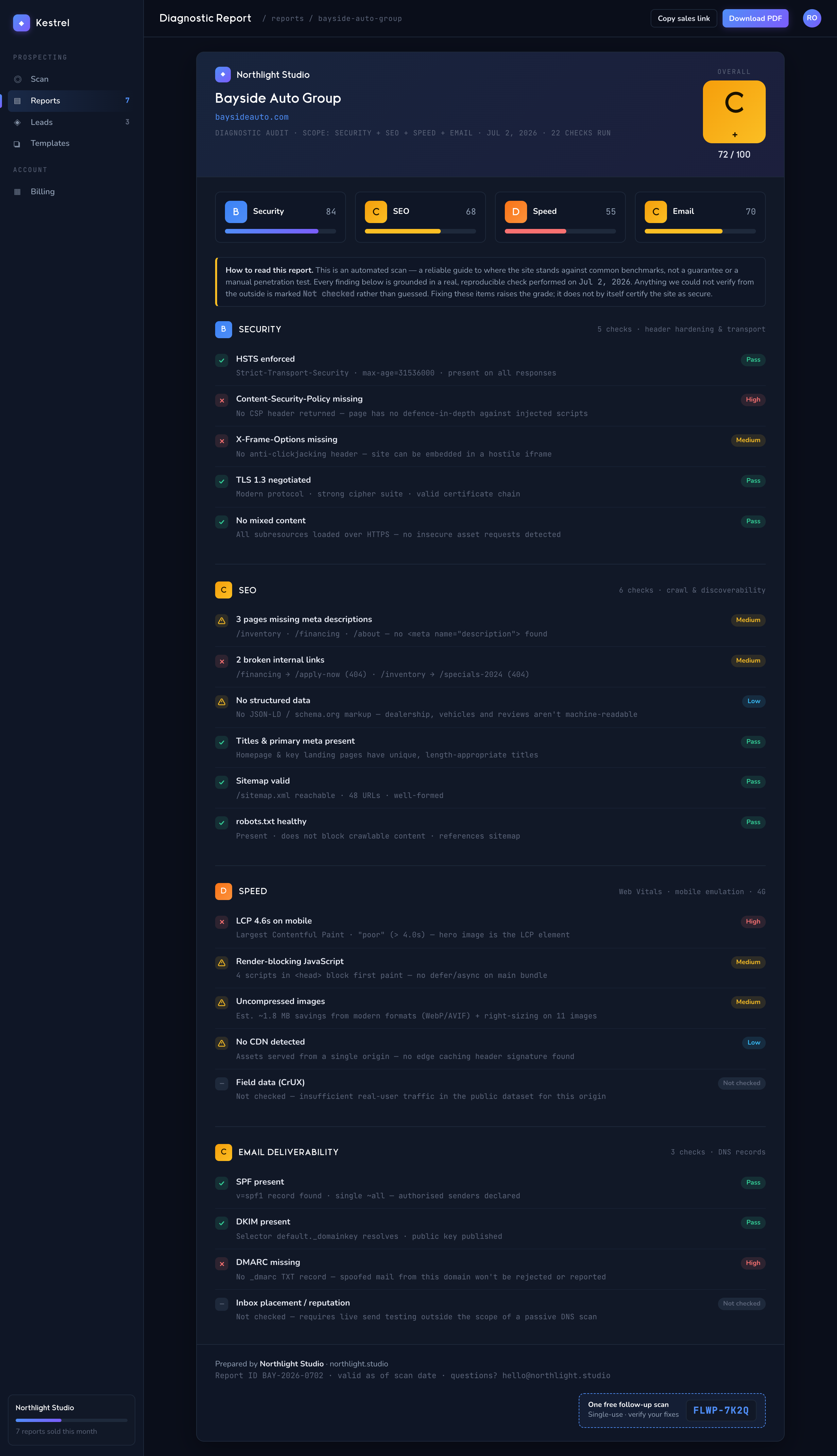
- Open the scan to see the report: a letter grade, a score out of 100, a severity strip (Critical / High / Medium / Low / Info), and findings grouped by severity — each with a How to fix: block.
- Every report carries the honest disclaimer: "This automated diagnostic is a guide to help you reach recognized best-practice benchmarks… verify critical findings before acting on them." Leave it in — it's what makes the report credible.
4. Send it or sell it
From the report header you have three moves:
- Share buyer link — copies a public sales page link (
/report/…) you can drop into an email or CRM. The prospect lands on a page with the free findings and a Buy walkthrough button that runs Stripe checkout. - Bulk send — emails the walkthrough PDF free to a list (up to 100), marked $0 in the purchases log. Use this to give a report away as a door-opener.
- Report — download the summary, detailed, or walkthrough tier as HTML or PDF to attach yourself.
When a buyer clicks Buy walkthrough — $XX on the public page, they enter their email, go through Stripe hosted checkout, and the walkthrough PDF is emailed within 60 seconds of payment (with a 24-hour signed-URL backup).
You'll know it worked when… the purchase appears in Diagnostic Audit → Purchases as Paid, then flips to Delivered once the worker sends the PDF.
5. Earn the re-audit with a free follow-up
The public checkout page has a "Have a follow-up code? (optional)" field. After a sale, Kestrel can issue a single-use coupon that makes a follow-up scan free — a 100%-off checkout still delivers a fresh report. It's how buyers come back for the re-audit after they've done the fixes.
Next: Getting started → if you also want to monitor the clients you close · or Teams & client access → to organize prospects by client.